Set up kubectl
You need kubectl and the oidc-login plugin. Sign-in happens in your browser with your console account; the kubeconfig holds no secret.
1. Install the tools
zsh
# kubectl: https://kubernetes.io/docs/tasks/tools/# kubelogin, through krew:❯ kubectl krew install oidc-login
2. Get a kubeconfig
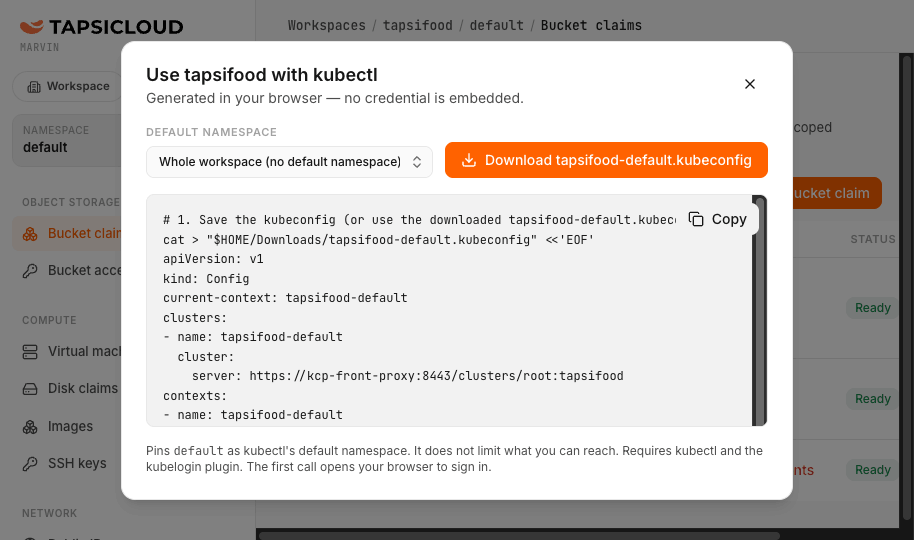
In the console, the kubectl button next to the workspace switcher (bottom of the sidebar) opens “Use <workspace> with kubectl”. Pick a default namespace (or Whole workspace) and download <workspace>.kubeconfig.
zsh
❯ export KUBECONFIG=~/Downloads/tapsifood.kubeconfig❯ kubectl get namespaces # first call opens the browser to sign in❯ kubectl auth whoami # your identity is your verified email❯ kubectl api-resources --api-group=compute.tapsicloud.com
3. Several workspaces
There is one kubeconfig per workspace. Switch with KUBECONFIG, or merge them and use kubectl config use-context.
zsh
❯ KUBECONFIG=a:b kubectl config view --flatten > merged❯ kubectl config set-context --current --namespace=production
4. Reading errors
| Message | Meaning |
|---|---|
| Forbidden | A role question; check with kubectl auth can-i. |
| admission webhook … denied the request | A rule about the object itself; the message names the field. |
| the server doesn't have a resource type | The kind is not enabled in your workspace yet. |