Bucket claim CORS
CORS defines which browser origins may read the bucket’s response from a web page. You set it on the bucket claim in a namespace — from the console or with kubectl.
CORS does not grant access. The request still must be authorized by the bucket policy or by Bucket access credentials. On a private bucket, even allowedOrigins: ["*"] exposes nothing.
Rules are evaluated in order and the first match wins. Rule order in the console matters.
Set from the console
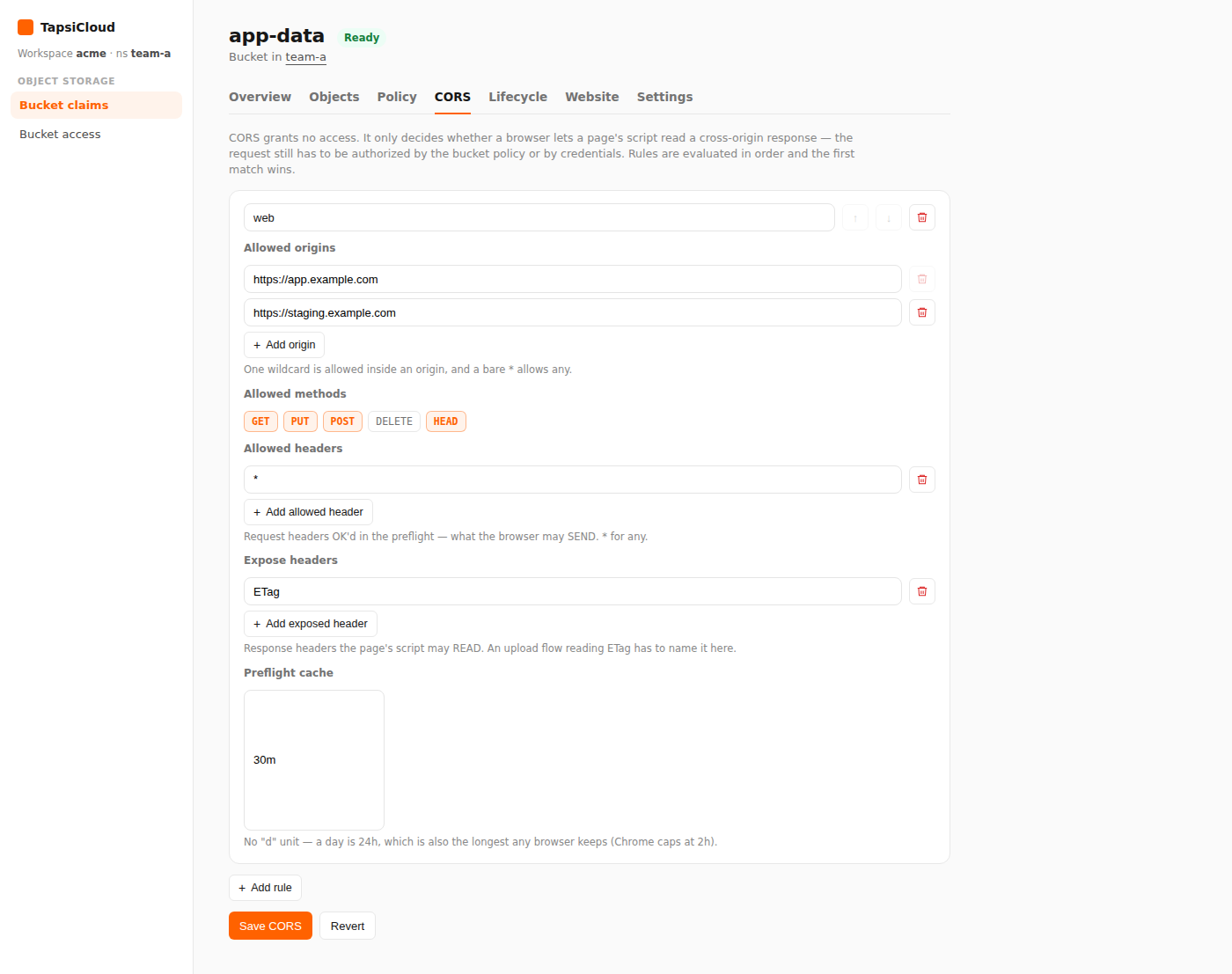
- Open your workspace, then open a namespace.
- In the namespace nav, under Object Storage, open Bucket claims.
- Open the claim.
- Select the CORS tab.
- Click Add rule and fill in:
- Allowed origins — for example
https://app.example.com(one*inside an origin, or bare*for any) - Allowed methods — such as
GET,HEAD,PUT - Allowed headers (optional) — headers the browser may send in the preflight;
*for any - Expose headers (optional) — response headers the page may read; for multipart uploads usually
ETag - Preflight cache /
maxAge(optional) — for example24hor30m(nodunit)
- Allowed origins — for example
- Reorder rules with the up/down controls if needed (Earlier rules win).
- Click Save CORS.
Remove CORS
Delete every rule, then click Save CORS again to remove the configuration from the bucket.
Set with kubectl
Set spec.corsPolicy on the same S3BucketClaim:
❯ kubectl -n <namespace> apply -f - <<EOF❯ apiVersion: oss.tapsicloud.com/v1alpha1❯ kind: S3BucketClaim❯ metadata:❯ name: app-data❯ spec:❯ corsPolicy:❯ - name: web❯ allowedOrigins: ["https://app.example.com"]❯ allowedMethods: ["GET", "HEAD"]❯ allowedHeaders: ["*"]❯ exposeHeaders: ["ETag"]❯ maxAge: 30m❯ EOF
Replace <namespace> with your namespace. Assumes your workspace kubeconfig and context are already configured.
Multiple origins or browser uploads
1apiVersion: oss.tapsicloud.com/v1alpha12kind: S3BucketClaim3metadata:4 name: app-data5spec:6 corsPolicy:7 - name: web8 allowedOrigins:9 - "https://app.example.com"10 - "https://staging.example.com"11 allowedMethods: ["GET", "HEAD", "PUT", "POST"]12 allowedHeaders: ["*"]13 exposeHeaders: ["ETag"]14 maxAge: 24h
Rule fields
| Field | In plain terms |
|---|---|
name (optional) | Label for the rule |
allowedOrigins | Allowed browser origins |
allowedMethods | GET, PUT, POST, DELETE, HEAD |
allowedHeaders (optional) | Headers allowed in the preflight; * for any |
exposeHeaders (optional) | Headers the page may read (for example ETag) |
maxAge (optional) | Preflight cache duration, such as 24h or 1h30m |
For signed browser clients (SigV4), you usually need allowedHeaders: ["*"]. If you use multipart upload, put ETag in exposeHeaders.
Clear CORS
❯ kubectl -n <namespace> patch s3bucketclaim app-data --type=merge -p '{"spec":{"corsPolicy":null}}'