Bucket claim settings
The Settings tab controls versioning, what happens when the claim is deleted, and this bucket’s quota. You set these on the bucket claim in a namespace — from the console or with kubectl.
DeleteWithContents purges every object and then deletes the bucket when the claim is deleted — immediate and irreversible. Delete and Retain do not throw data away.
Set from the console
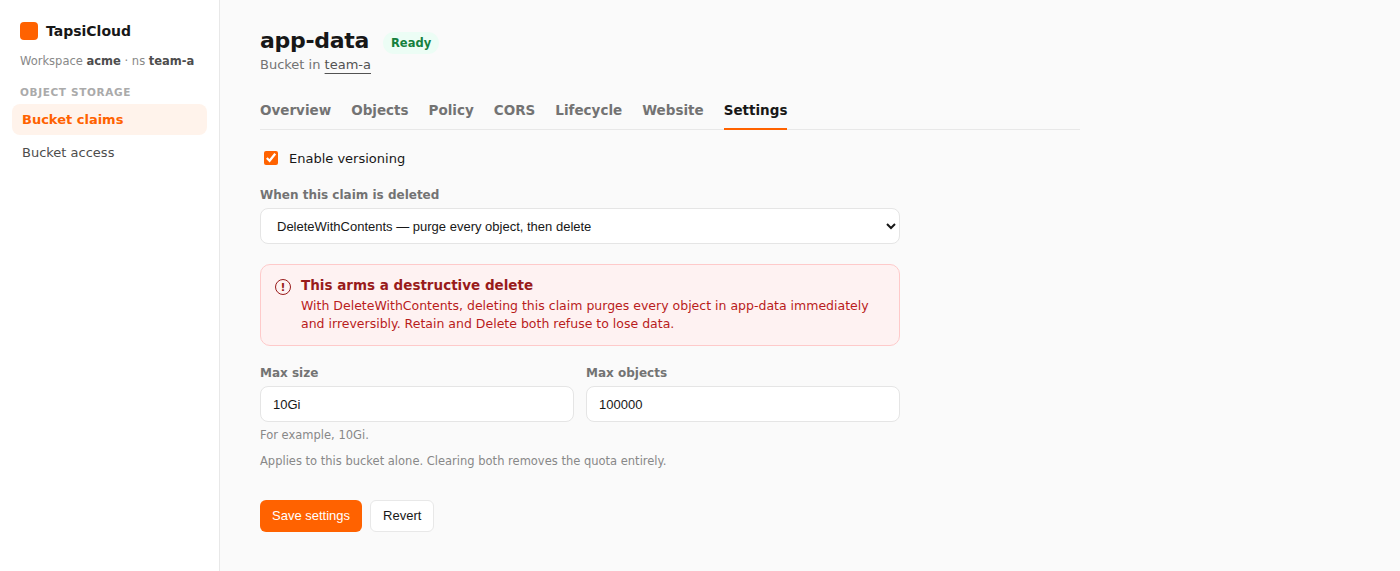
- Open your workspace, then open a namespace.
- In the namespace nav, under Object Storage, open Bucket claims.
- Open the claim.
- Select the Settings tab.
- Change what you need:
- Enable versioning — keep previous object versions
- When this claim is deleted — behavior on claim delete
- Max size / Max objects — caps for volume or object count (empty = unlimited)
- Click Save settings and confirm if prompted.
- Click Revert to discard unsaved changes.
Claim deletion options
| Console option | In plain terms |
|---|---|
| Delete — delete the bucket if it is empty | Delete the bucket only when empty (usual default) |
| Retain — release the bucket, destroy nothing | Unbind the claim; keep the bucket and its data (another namespace may claim the same name later) |
| DeleteWithContents — purge every object, then delete | Delete all objects, then the bucket |
With Retain, the released bucket stays in the workspace. Any other namespace can take it (and its data) by creating a claim with the same name — with no separate warning at that moment.
Quota applies to this bucket alone. Clearing both Max fields removes the quota. Size is a Kubernetes quantity (for example 10Gi); a bare number means bytes.
Set with kubectl
The same fields on S3BucketClaim:
❯ kubectl -n <namespace> apply -f - <<EOF❯ apiVersion: oss.tapsicloud.com/v1alpha1❯ kind: S3BucketClaim❯ metadata:❯ name: app-data❯ spec:❯ versioning: true❯ deletionPolicy: Delete❯ quota:❯ maxSize: 10Gi❯ maxObjects: 100000❯ EOF
Replace <namespace> with your namespace. Assumes your workspace kubeconfig and context are already configured.
Change one setting
# Enable versioning❯ kubectl -n <namespace> \patch s3bucketclaim app-data --type=merge -p '{"spec":{"versioning":true}}'# Retain on claim delete❯ kubectl -n <namespace> \patch s3bucketclaim app-data --type=merge -p '{"spec":{"deletionPolicy":"Retain"}}'# Clear quota❯ kubectl -n <namespace> \patch s3bucketclaim app-data --type=merge -p '{"spec":{"quota":null}}'
Fields
| Field | In plain terms |
|---|---|
versioning | Keep previous object versions |
deletionPolicy | Delete | Retain | DeleteWithContents |
quota.maxSize | Size cap (Kubernetes quantity; omit = unlimited) |
quota.maxObjects | Object-count cap (omit = unlimited) |